Ai Process
AI in my Design Process.
AI in my Design Process.
How I actually use AI in my design work, and where I don't.
AI in my design work, and where I don't.
AI in my design work, and where I don't.

Discovery & Research

Research synthesis used to eat entire weeks. Now I use Claude , ChatGPT to cluster raw interview notes, surface contradictions across transcripts, and draft a first-pass affinity map - but I never let a persona or insight ship without going back to the raw quotes myself. AI is good at finding patterns; it's bad at knowing which pattern actually matters to the business or the user in front of you. That call stays mine.
Ideation & Exploration

This is where AI earns its keep the most. Instead of sketching three layout directions by hand and calling it exploration, I use AI co-pilots inside my workflow - Figma's native AI tools, UX Pilot for prompt-to-layout generation, Google Stitch for fast multi-screen concepting - to generate a wider spread of directions. On a typical screen, that's 10 to 15 rough variants instead of 3.
The output is never final. It's raw material - I'm looking for the one unexpected layout idea buried in a pile of average ones, then rebuilding it properly by hand inside my own design system.
This is where AI earns its keep the most. Instead of sketching three layout directions by hand and calling it exploration, I use AI co-pilots inside my workflow - Figma's native AI tools, UX Pilot for prompt-to-layout generation, Google Stitch for fast multi-screen concepting - to generate a wider spread of directions. On a typical screen, that's 10 to 15 rough variants instead of 3.
The output is never final. It's raw material - I'm looking for the one unexpected layout idea buried in a pile of average ones, then rebuilding it properly by hand inside my own design system.
Visual & Motion Craft

For static visuals, mood boards, placeholder imagery, quick style explorations - I use Gpt 5.0 and Nano banana to move fast during early direction-setting. For UI itself, I still build every real screen inside Figma, so visual consistency never depends on what a model felt like generating that day.
Motion is where I draw the clearest line. AI can suggest an easing curve or a transition pattern, but the actual feel of an interaction - the thing that makes a button press satisfying instead of just functional, is still handmade.
For static visuals, mood boards, placeholder imagery, quick style explorations - I use Gpt 5.0 and Nano banana to move fast during early direction-setting. For UI itself, I still build every real screen inside Figma, so visual consistency never depends on what a model felt like generating that day.
Motion is where I draw the clearest line. AI can suggest an easing curve or a transition pattern, but the actual feel of an interaction - the thing that makes a button press satisfying instead of just functional, is still handmade.
Content & Copy

I use Claude/ChatGPT to draft copy variants - onboarding microcopy, empty states, then rewrite almost all of it. AI-written UX copy tends to be confident and generic in the same breath; the editing pass is where a product actually finds its voice.
I use Claude/ChatGPT to draft copy variants - onboarding microcopy, empty states, then rewrite almost all of it. AI-written UX copy tends to be confident and generic in the same breath; the editing pass is where a product actually finds its voice.
Validation

Before real usability testing, I run AI-assisted heuristic passes like accessibility checks, contrast audits, edge-case walkthroughs ("what does this flow look like for a user with no data yet, or a screen reader") - to catch the obvious problems before they cost a real participant's time. It's a first filter, never a replacement for watching an actual person use the thing.
Before real usability testing, I run AI-assisted heuristic passes like accessibility checks, contrast audits, edge-case walkthroughs ("what does this flow look like for a user with no data yet, or a screen reader") - to catch the obvious problems before they cost a real participant's time. It's a first filter, never a replacement for watching an actual person use the thing.
Where I deliberately don't use AI
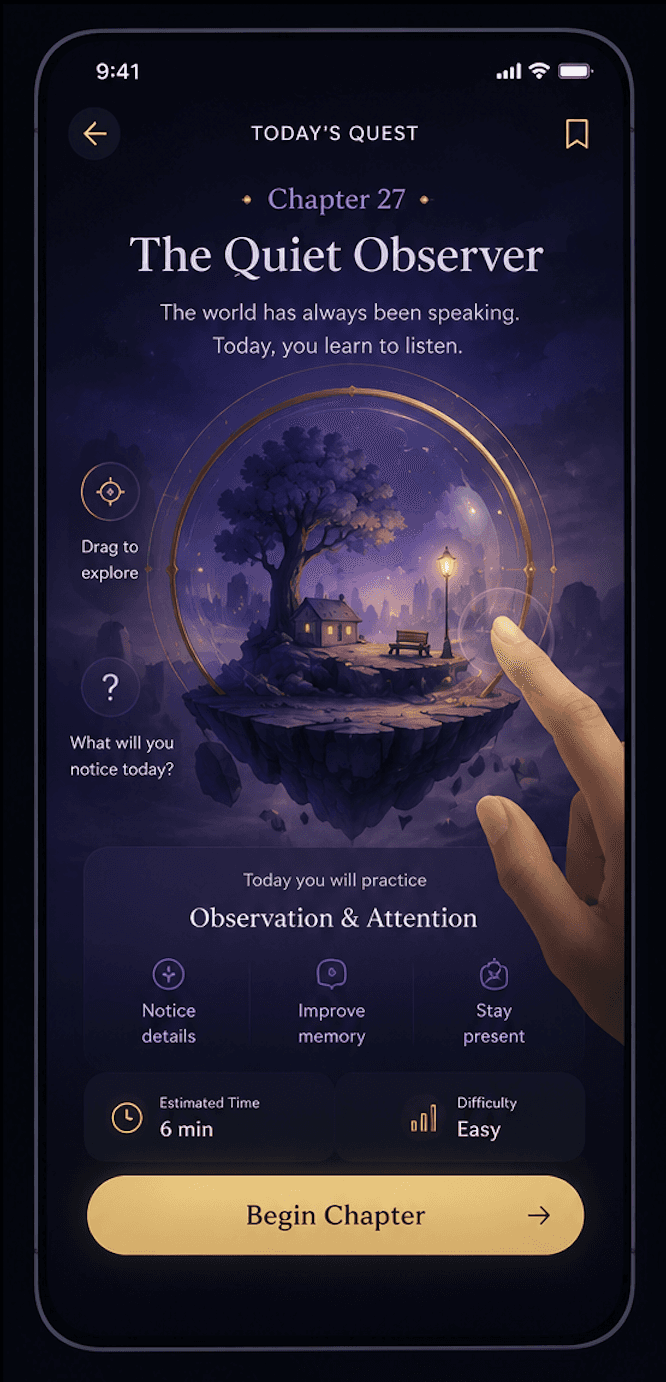
Final visual and interaction decisions. Exploration can be AI-assisted; taste isn't.
Ethically sensitive UX.
Bodhique is a product about protecting human cognitive ability - attention, reflection, curiosity. Designing it with a heavy reliance on AI-generated shortcuts would have been a quiet contradiction. It shaped how I used these tools throughout, as acceleration, never as a substitute for thinking.Accessibility sign-off. AI checks catch the obvious; the final call on whether an experience genuinely works for someone stays human.
Anything that touches brand voice or emotional tone. That's the part of the work I'd least want to hand off, and the part I enjoy most.
Final visual and interaction decisions. Exploration can be AI-assisted; taste isn't.
Ethically sensitive UX.
Bodhique is a product about protecting human cognitive ability - attention, reflection, curiosity. Designing it with a heavy reliance on AI-generated shortcuts would have been a quiet contradiction. It shaped how I used these tools throughout, as acceleration, never as a substitute for thinking.Accessibility sign-off. AI checks catch the obvious; the final call on whether an experience genuinely works for someone stays human.
Anything that touches brand voice or emotional tone. That's the part of the work I'd least want to hand off, and the part I enjoy most.